WARBIRDS.IO Dev Log

← All posts

Big J in a pocket

Since the day she launched, the battleship's title card ended with a shrug: “a desktop game; grab a mouse.” That line is gone. The Big J now fights from a phone — and the rule we set before writing a line of it was gestures over furniture: the screen stays the ship, not a cockpit of buttons.

What a thumb already knows

A 270-meter first-person ship with seven manned stations, ladders, binoculars, and a fire-control chain is about the worst case for a touch port. The way through was to notice how much of the game already speaks in context: the gold prompt at the bottom of the screen always knows the one thing you're standing next to. So on glass, that prompt is the button. Tap it to man the helm. Hold it to fight a fire, or to reach for a ladder trunk and climb down — the same SHIFT-while-slow grab the desktop uses, fired by a long-press instead of a pinky. There is no standing USE key on the screen, because the game already had a better one.

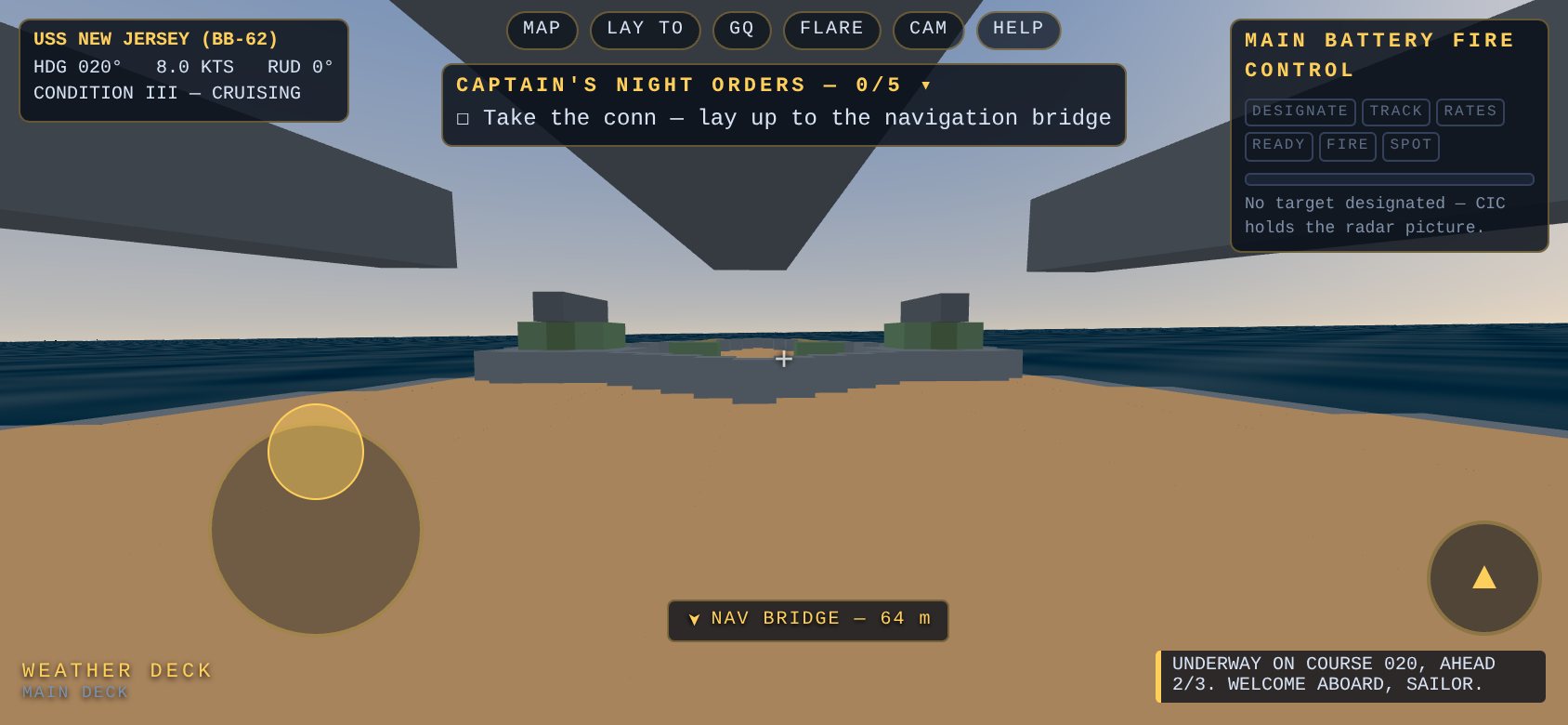
The rest maps onto reflexes a phone hand ships with. A joystick fades in wherever your left thumb lands and walks the deck in true analog — half-stick strolls, the rim breaks into a run once you're already moving (so easing up to an open hatch never turns into a sprint onto the ladder). The right thumb drags to look. And the hold-right-mouse binoculars became the one gesture every phone user tries first: pinch. Pinch in far enough and the glasses snap back into the case. General quarters, the deck plans, star shells, the salvo camera, and help live in one slim chip strip at the top of the screen — six chips, and that's the entire HUD tax.

Phone landscape view down the battleship's weather deck: joystick under the left thumb, chip strip up top, jump button lower right, gold waypoint chip pointing to the nav bridge
Underway on a 390-pixel-tall ocean. The joystick lives wherever the thumb lands; the chips are the whole menu.

Consoles that row their own buttons

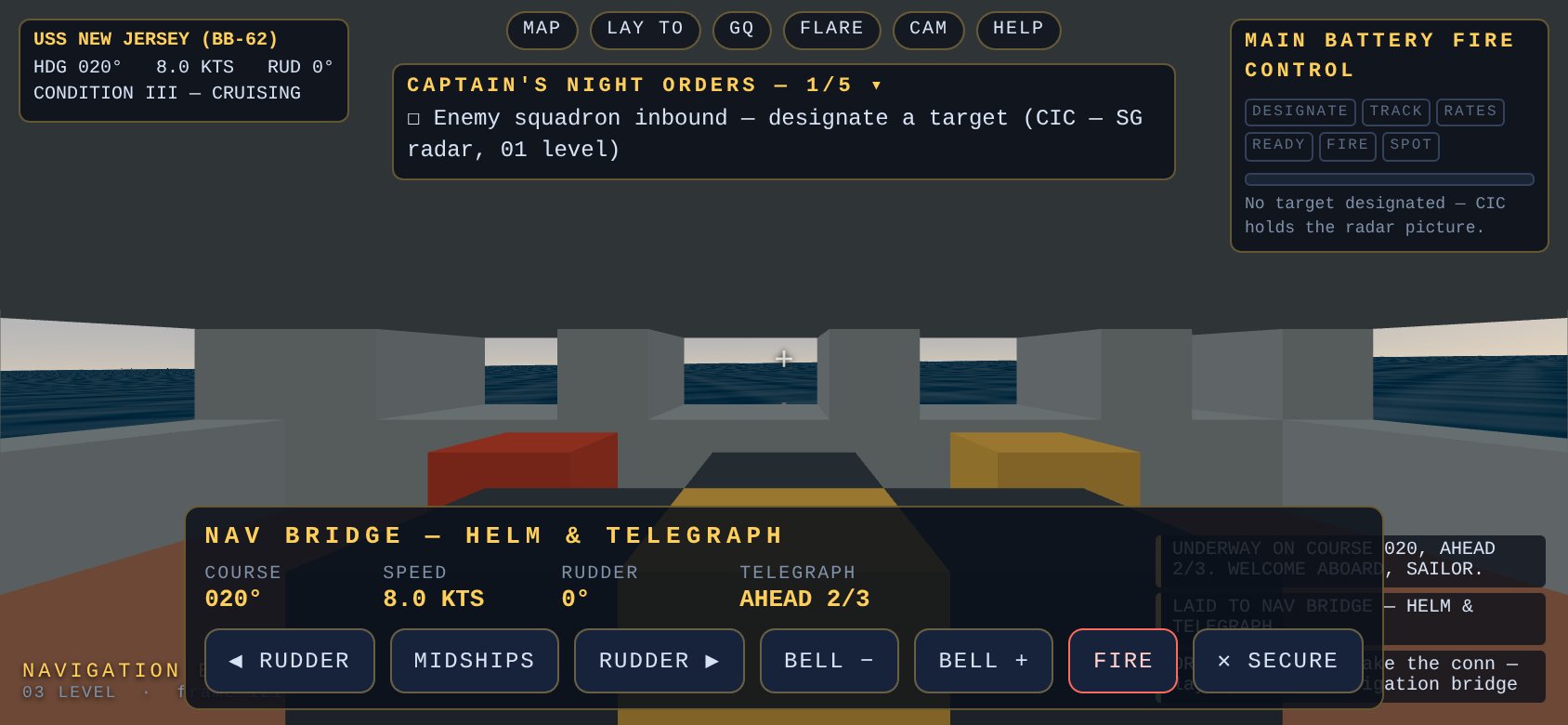
Every station — helm, throttle, CIC radar, plot, director, turret II, DC central — renders its keyboard as a row of labeled buttons on its own console card. They aren't a parallel input system: each button feeds the exact key code into the exact handler the keyboard uses, so the rudder steps in the same 5° increments and the plot's rate cranks read the same held-key set. Holding SPD + literally holds W. The director keeps its manual feel two ways: drag the glass to slew (what the mouse does), pinch for magnification, and work the rangefinder knob with a held button until the split images kiss.
One trap was waiting in there. The console cards re-render eight times a second to keep their dials live, which means any listener attached to a button element dies between your finger going down and coming up. The buttons are wired by delegation on the overlay that never re-renders, and every held code releases on any pointerup anywhere — a re-render must never leave a rudder crank phantom-held. Our Playwright playtest actually tripped over the same churn: its tap kept retrying “element is not stable” while a simulated raw touch sailed straight through, which is exactly the difference between waiting for the DOM to settle and being a finger.

The helm console on a phone: course, speed, rudder and telegraph dials with a row of touch buttons — rudder left and right, midships, bells, fire, secure
The nav bridge on glass. Same handlers as the keyboard — the buttons just draw the keys.

The tracker that outran a finger

The honest confession this time: the director drag shipped dead on arrival, and no error said so. Once a target is designated, the Mk 38 auto-tracks — the glass is pulled back onto the bearing at 0.3 rad/s whenever no one is slewing. A mouse flick delivers hundreds of pixels between two frames and beats the pull without anyone noticing it exists. A dragging finger delivers a dozen pixels per event, and the tracker reeled every one of them straight back. The playtest measured a 120-pixel drag: peak deflection 0.0002 radians — the director hadn't moved. The keyboard slew already knew the answer, because A/D suppresses auto-track while held; the fix was one flag giving a touching finger the same courtesy. Same drag after: 0.088 radians, and the glass goes where you put it, then walks back onto the wire when you let go.

Proof, not vibes

All of it ran in a real (emulated-touch) Chromium the way a player would hold it, 844×390: joystick walked 5.6 meters on a thumb-drag, pinch ran the glasses to 5× and snapped back to 1×, a tap on the prompt manned CIC, DESIGNATE put the plot on IJN Takao, held cranks moved the rate solution and released clean (zero phantom keys), SALVO put six rounds on the wire, and the hold-prompt took a ladder down a deck. The e2e suite grew a whole touch page — twelve new checks, including one that boots a desktop viewport and asserts it sees none of this — and the original sixteen desktop checks still pass untouched.

The native seasoning is in too: starting a mission goes fullscreen and locks landscape where the platform allows it, the notch is dodged with safe-area insets, a portrait phone is told to turn (“the Big J fights broadside-on”), and the haptics ride the existing camera-shake channel — every 16-inch salvo is a thump in your palm, scaled to the blow, and general quarters is the klaxon in your hand. The captain's orders fold to a one-line tally so the sky stays sky. Tap them when you want the whole night-order book.

And if you're at a desk, the mouse still works like it always did. She's the same ship either way; she just learned to fit in one hand.